The AI document generator that keeps your files in order

Ask for a report, a budget or a deck and the AI writes the real Word, Excel or PowerPoint file. Edit it in the app, keep every version, and let the AI study your own documents.
Start on the free plan — no card needed.
- 📝 Word and PDF
- 📊 Excel with formulas
- 🎞️ PowerPoint decks
- 📚 Knowledge bases
Documents written, edited and filed for you
A first draft in seconds — then refine it yourself or ask for changes. Nothing is ever lost.
Word reports
Themed documents with headings, tables, charts, headers and page numbers.
Excel workbooks
Styled sheets with real formulas, filters, coloured rules and native charts.
PowerPoint decks
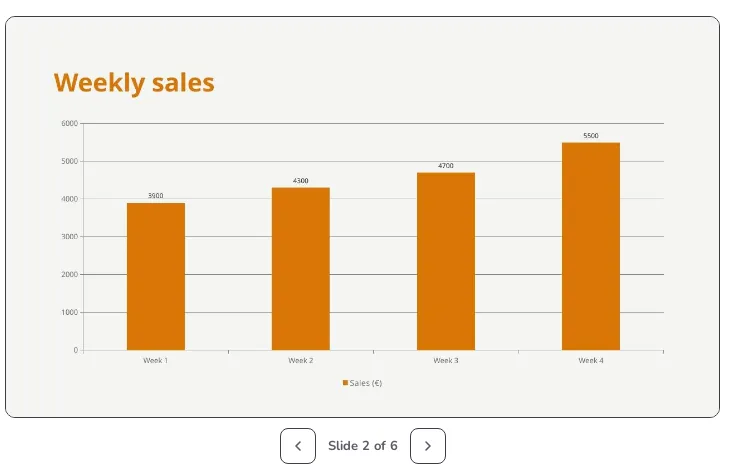
Designed slides with editable charts, ready to present or to change.
PDFs
Forms people can fill in, CVs, letters, invoices, certificates and reports.
Edits your files
Upload a Word, Excel, PowerPoint or PDF file and ask for changes — its design is kept.
Flashcards
Turn a handbook or your notes into a deck to revise, flipped with a key.
Open, read and edit Office files in the app
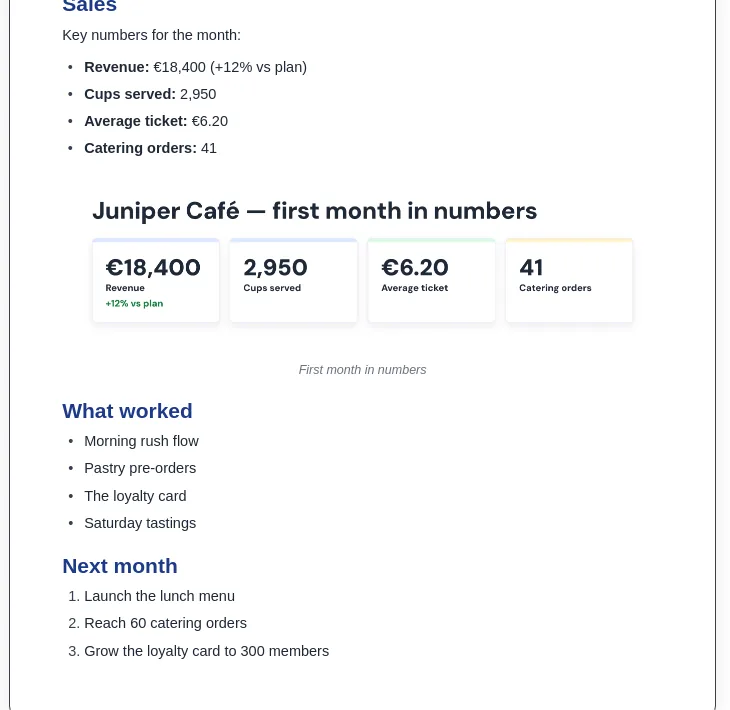
A Word document opens on a sheet of paper, as it prints — press Edit and change it in place. A workbook opens like Excel, formulas computed, with a formula bar. A deck opens slide by slide beside its text. Save, and it is a new version.
- Excel: formulas such as SUM, IF and VLOOKUP computed in the viewer
- Word: headings, lists, tables and pictures kept
- Download the original file at any time
Every change is a new version
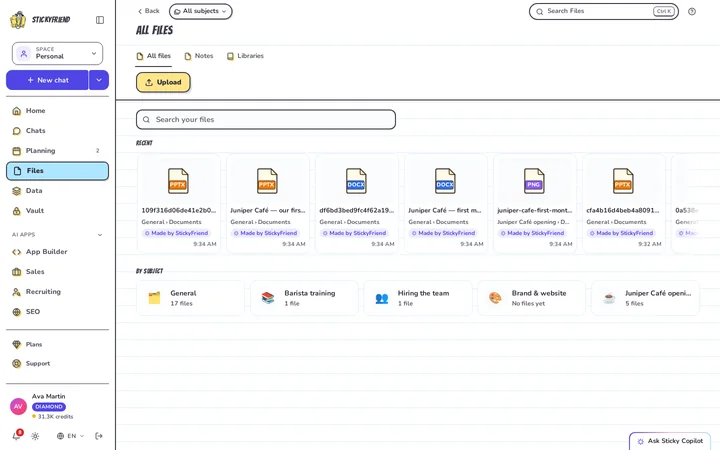
Ask the AI to update the budget and you get a new version of the same file — the old one is one click away. Files are filed per subject, in folders you can browse like a computer’s.
- Restore any earlier version
- Each subject has its own Desktop, Documents and Downloads
- Dashboards export to PowerPoint, Word or Excel
Chat with your own documents
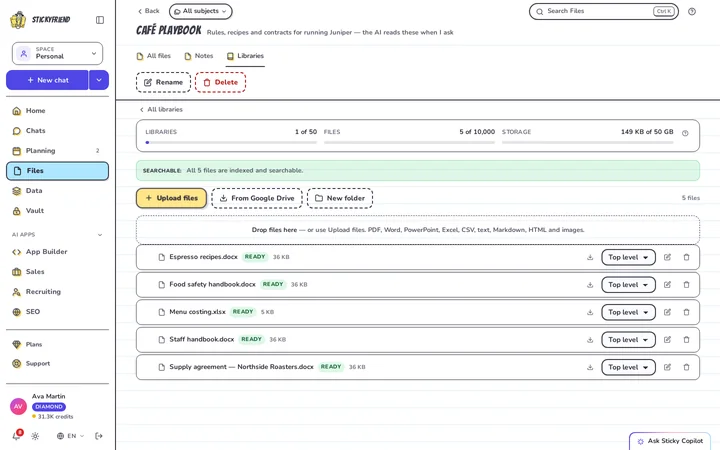
Put your contracts, handbooks, slide decks and spreadsheets in a library once. In any chat, pick the libraries it may read: the AI answers from the real files and names the one it quotes, so you can check.
- PDF, Word, PowerPoint, Excel, CSV, text, Markdown, HTML and images
- Add files straight from Google Drive
- Scans and photos read on Gold and Diamond
Notes that do not get lost
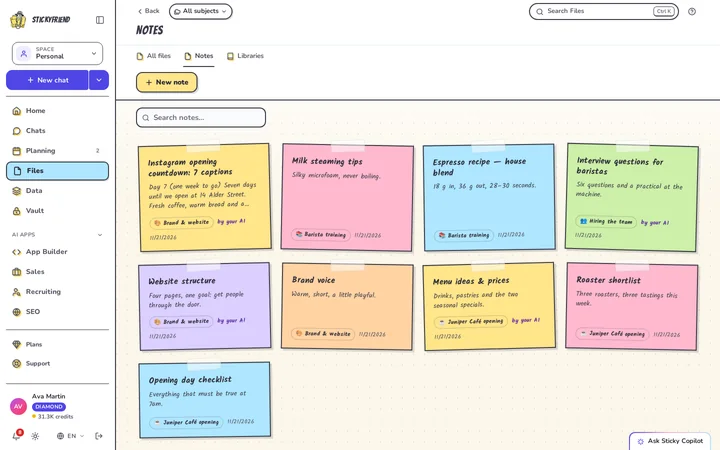
Your notes and the AI’s on one wall of cards. A note can carry a date and show up on your calendar, and the AI grows one note instead of scattering ten.
- Markdown notes with checklists
- Highlights saved from the web with the browser extension
- A mind map of each subject
From a request to a finished file
You ask in words; you get the file.
Ask
“A one-page run sheet for Thursday’s opening, in Word.”
Open it
The file appears under the reply and opens beside the chat.
Refine it
Edit it yourself or ask for changes — each one a new version.
Your documents stay yours
Files you can trust, take with you and roll back.
- Download the original Word, Excel, PowerPoint or PDF file at any time.
- An AI change never overwrites a file: it adds a version.
- A chat reads only the libraries you pick for it.
- Answers from a library name the document they come from.
AI document questions, answered
Can the AI create Word, Excel and PowerPoint files?
Yes. It writes real .docx, .xlsx and .pptx files — and PDFs and flashcard decks — that you can open in the app or download and open in Office.
Can it edit a file I already have?
Yes. Upload a Word, Excel, PowerPoint or PDF file and ask for changes; it edits the file in place and keeps its design.
Do Excel formulas work?
Yes. Workbooks keep real formulas, and the in-app sheet view computes them and shows each cell’s formula in a formula bar.
What happens to the old version when the AI changes a file?
It stays. Every change is a new version of the same document, and you can restore any earlier one.
What is a knowledge base in StickyFriend?
A library of your own documents. Pick it in a chat and the AI answers from those files and names the one it quotes.
Which files can a library read?
PDF, Word, PowerPoint, Excel, CSV, text, Markdown, HTML and images. Scans and photos of pages are read on the Gold and Diamond plans.
Can I import from Google Drive?
Yes. Google Docs arrive as Word files, Sheets as Excel and Slides as PDF, up to 20 at a time.
Are libraries free?
Documents and notes are part of the free plan; libraries come with the paid plans. The plans are on the pricing page.
Can I keep notes with dates?
Yes. A note can have a date and a time, and then it shows on your calendar.
Everything else StickyFriend does
The core features and the AI apps share your subjects, your people, your calendar and your files — one account, one place.
Core features
AI chat
Ask in plain words: it makes the notes, to-dos, events and documents for you.
Planning
To-dos, a board, a calendar and a timeline for every subject — or all at once.
Data & dashboards
Tables of your records, dashboards, forms and trackers — built by asking.
Connected apps
Gmail, Slack, Notion, GitHub and 55 more — the AI acts there after your yes.
Vault
Passwords, cards and API keys behind your PIN — the AI uses a key, never sees it.
Teams
One shared workspace and one pool of credits, each person in their own lane.
AI Apps
Sales — AI CRM
Find leads and work emails, follow every deal and let the AI draft your follow-ups.
Recruiting
Drop the CVs, get explained match scores, run interviews — and decide yourself.
SEO
Track your Google rankings, audit your site and plan what to write next.
App Builder
Describe a mini app: the AI writes the files and runs it in your browser.
Your next document, written in seconds
Start free and ask for the report, the budget or the deck you need.