👀 Watch it work
⏸️ Take over anytime

THE LITTLE FRIEND WHO DOES THE BUSYWORK WHILE YOU WATCH.

An AI companion in your browser: brainstorm and plan your day, research across real pages, analyse the data — and walk away with real files. It works through your tabs step by step while you stay in charge.

StickyFriend is a web app and a Chrome extension. Use either — they share the same account, subjects and notes.

🔒 mail.random-website.com
P Priya — Operations
Re: supplier review — what we agreed Monday
1 · Send Northwind the revised quote
2 · Book the Thursday review
3 · Confirm the site visit
📩 3 actions in this email
STICKYFRIEND working…
Summarise this email, tick off yesterday's to-dos and put the actions in my calendar.
👀Reading the email…
Ticking yesterday's to-dos…
📅Adding 3 events to your calendar…
📝Keeping two notes from this…
Priya wants three things before Thursday. I closed 4 to-dos from yesterday and put all 3 actions on your calendar.
Now export what I did this week to Excel
📗Building the spreadsheet…
📗 my_week.xlsx Download
Right where you work

It lives in your browser, beside the page.

No tab to switch to, no copy-paste. Open the panel and it already sees what you are reading.

The StickyFriend Chrome side panel reading the page in the tab beside it
Ask about the page you're on — and get the sheet, the deck and the report back
See it for real

Not mockups — the actual product, on a demo subject.

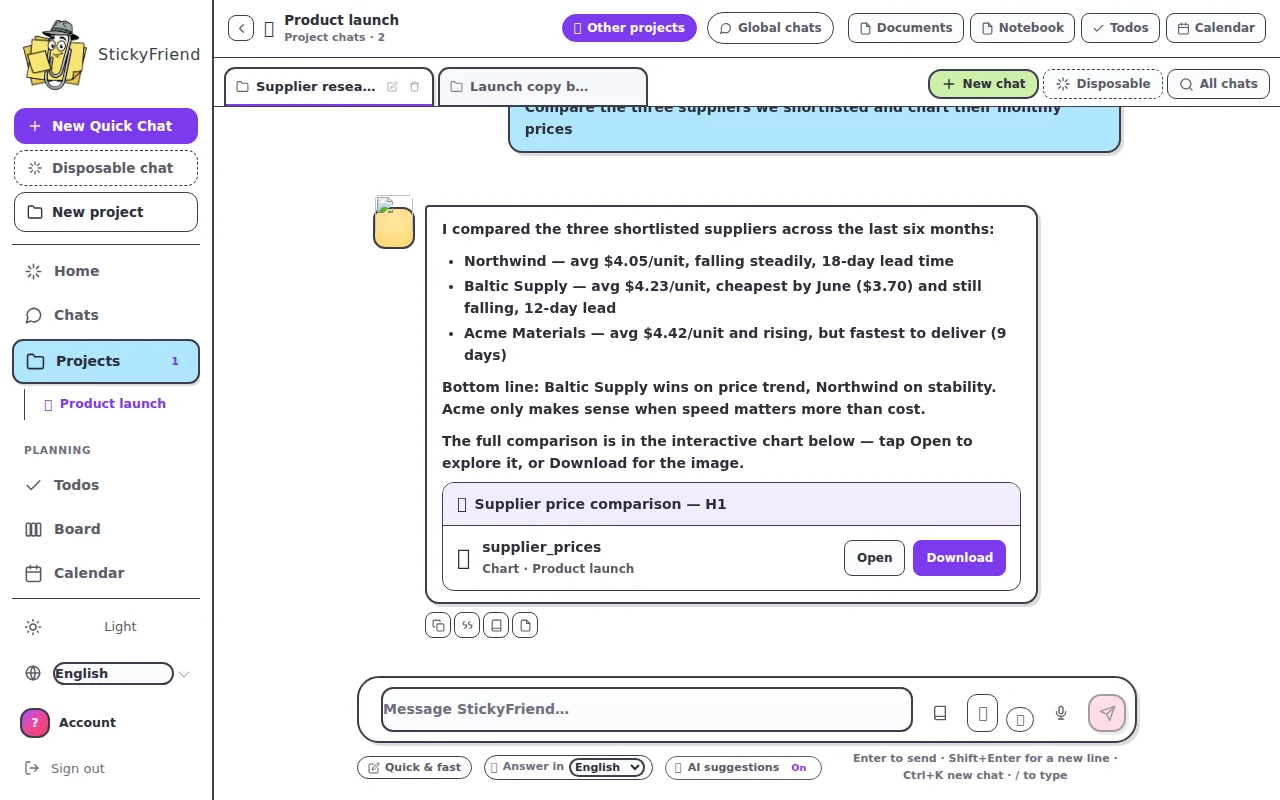
StickyFriend chat comparing three suppliers and offering the result as a downloadable chart
Research with sources, answered in chat — with the file handed over
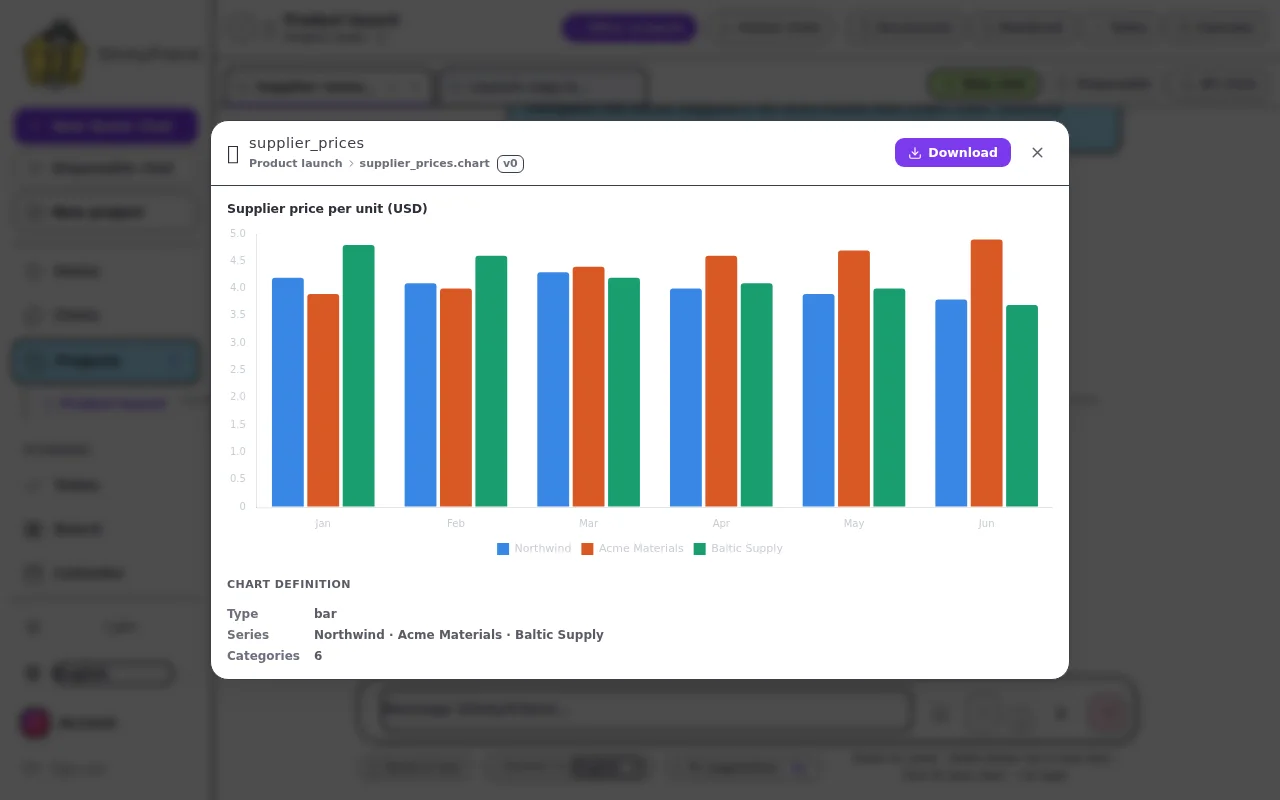
A revenue-by-region chart StickyFriend built from an uploaded spreadsheet
The interactive chart it made from your data
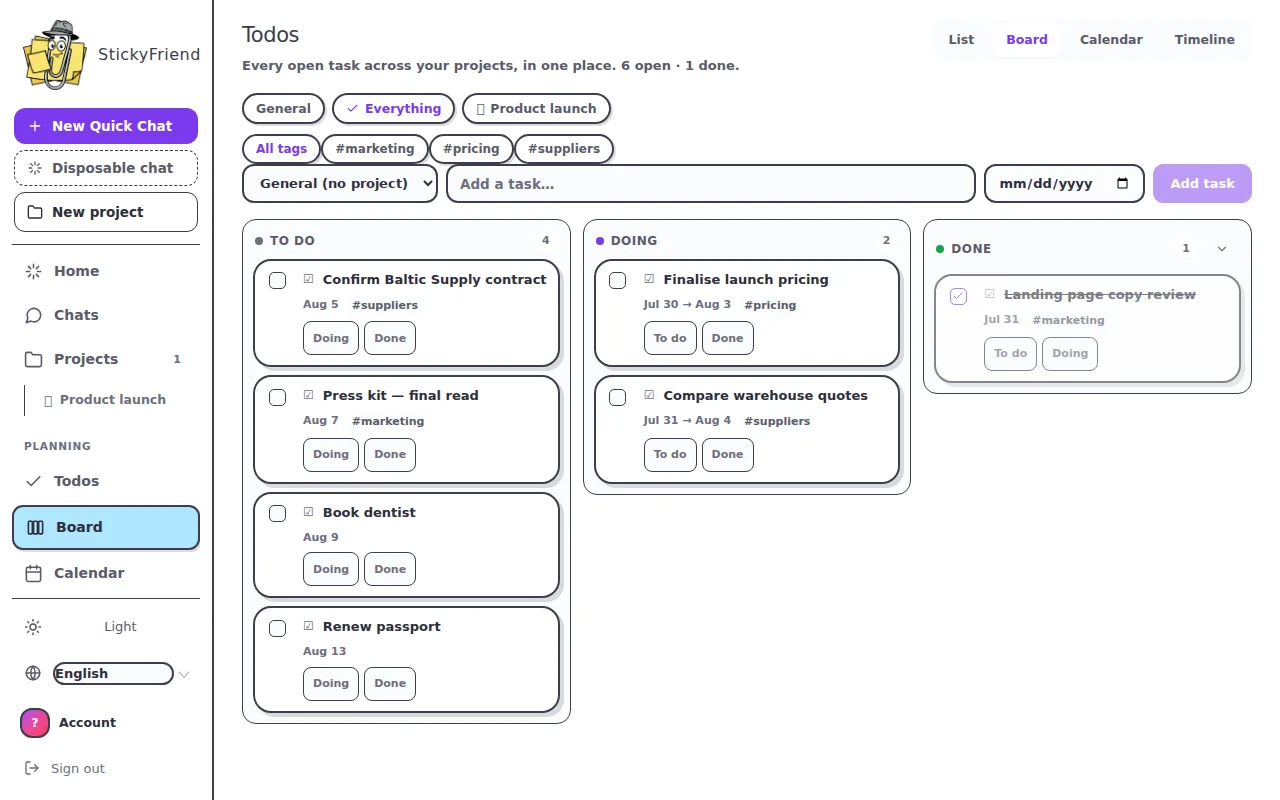
StickyFriend kanban board with to-dos arranged by status
Your tasks on a board — General list and subjects side by side
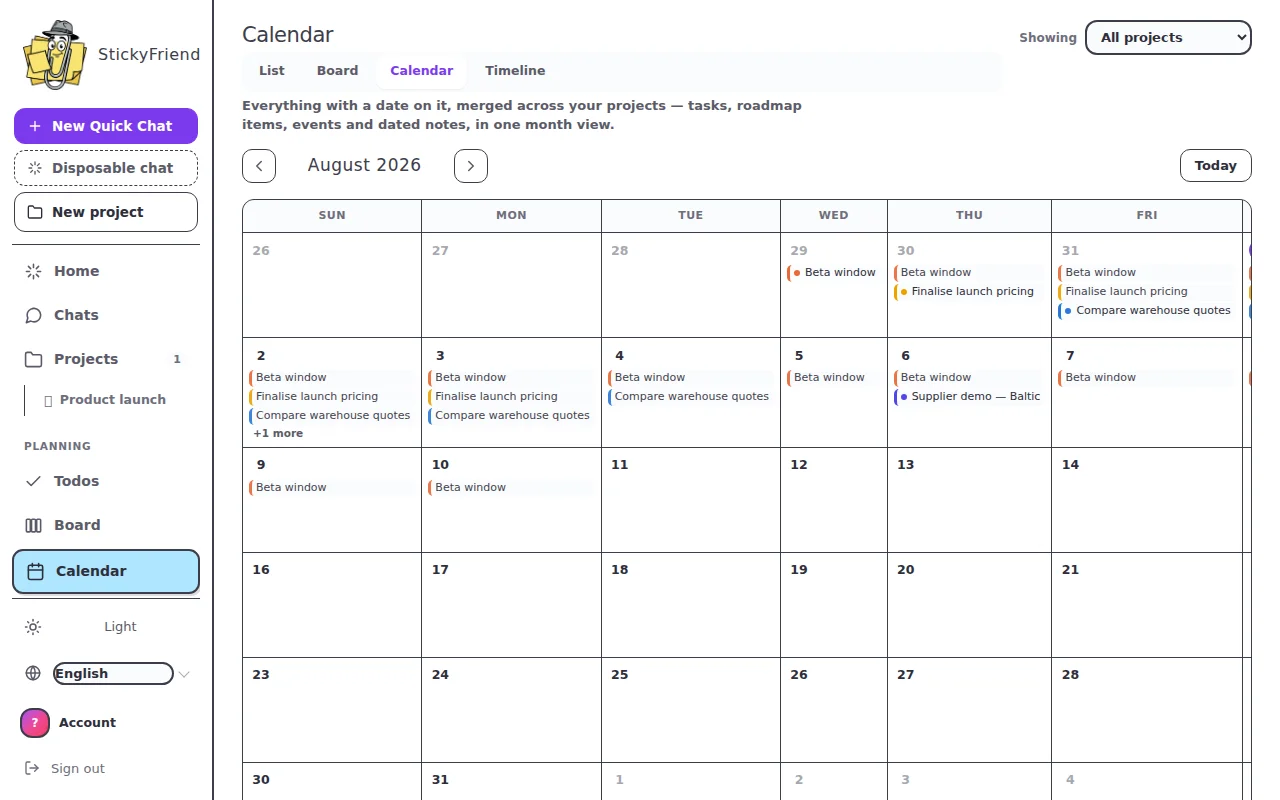
StickyFriend calendar showing to-dos, events and roadmap bars on one grid
One calendar for everything dated
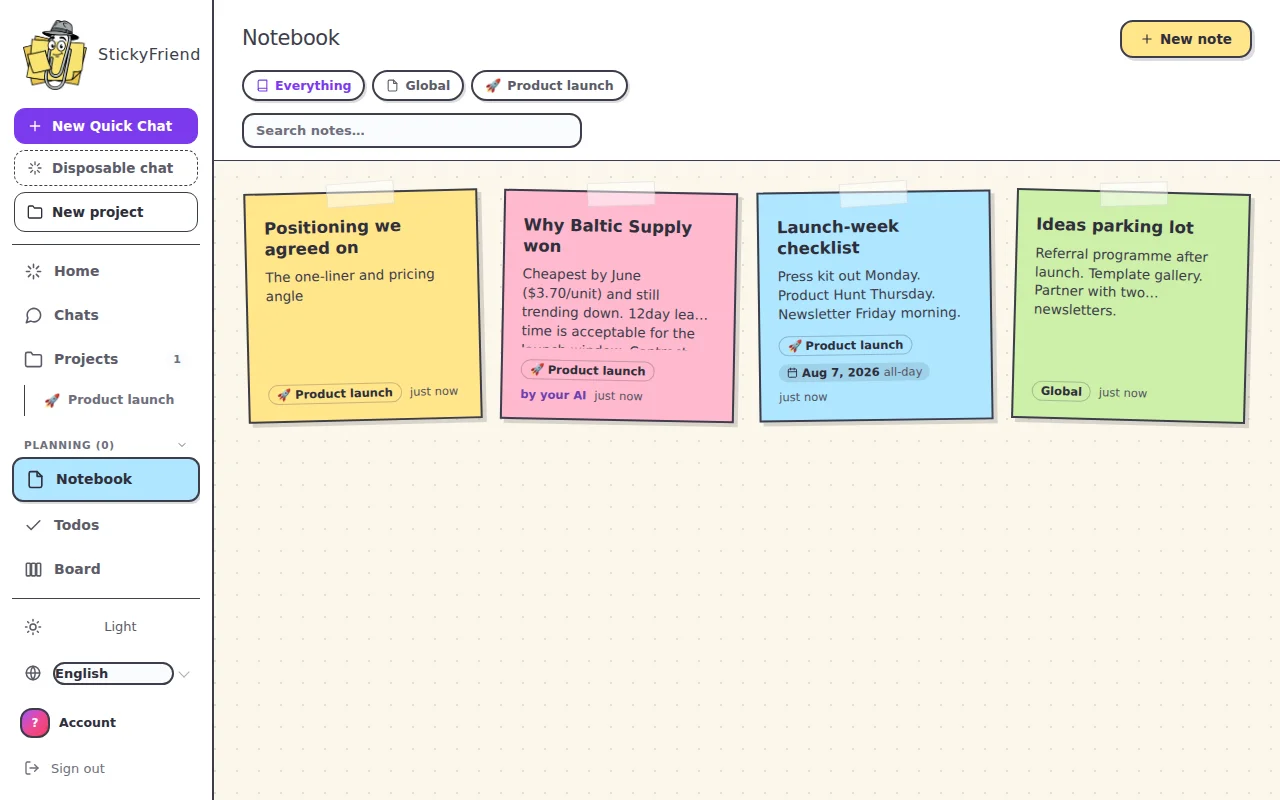
The StickyFriend notebook, where notes from the user and the assistant sit together
The notebook — sticky notes your AI keeps for you
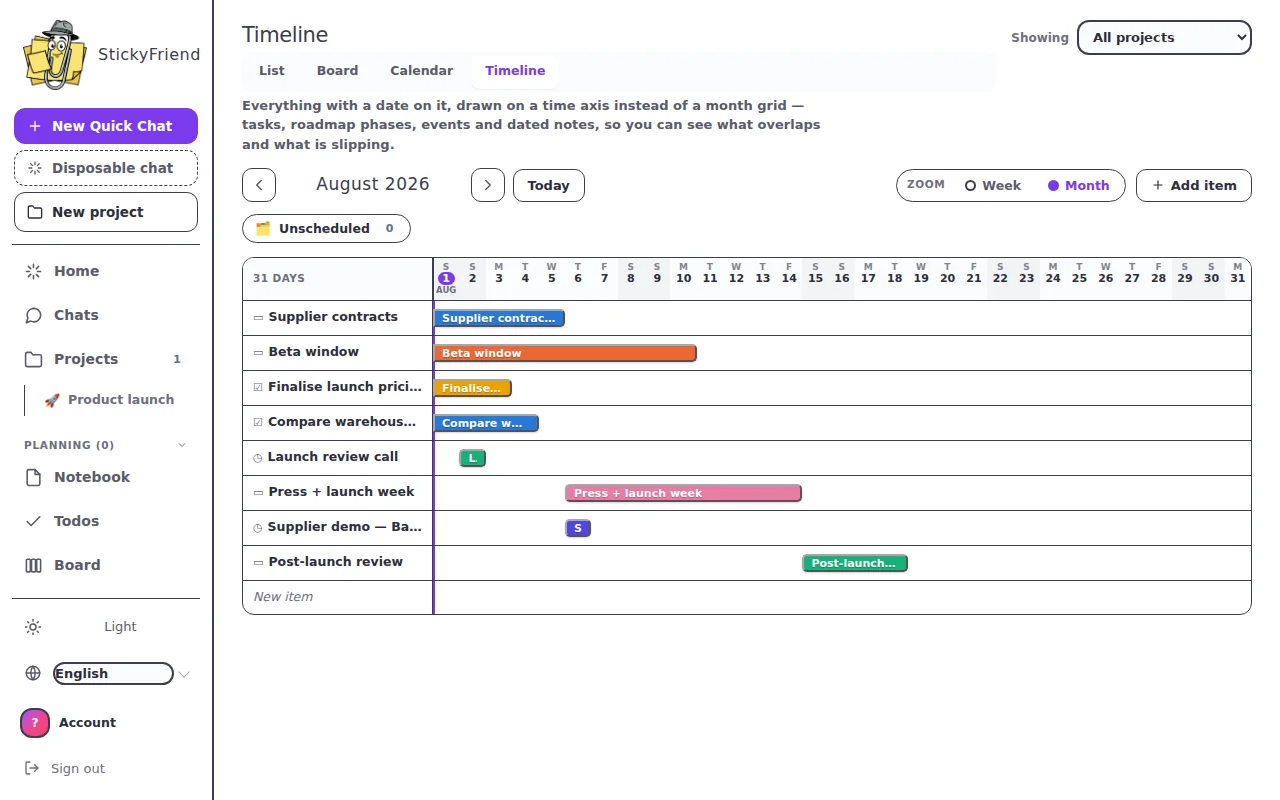
A roadmap on a Gantt-style timeline in StickyFriend
The timeline — every dated thing on one axis
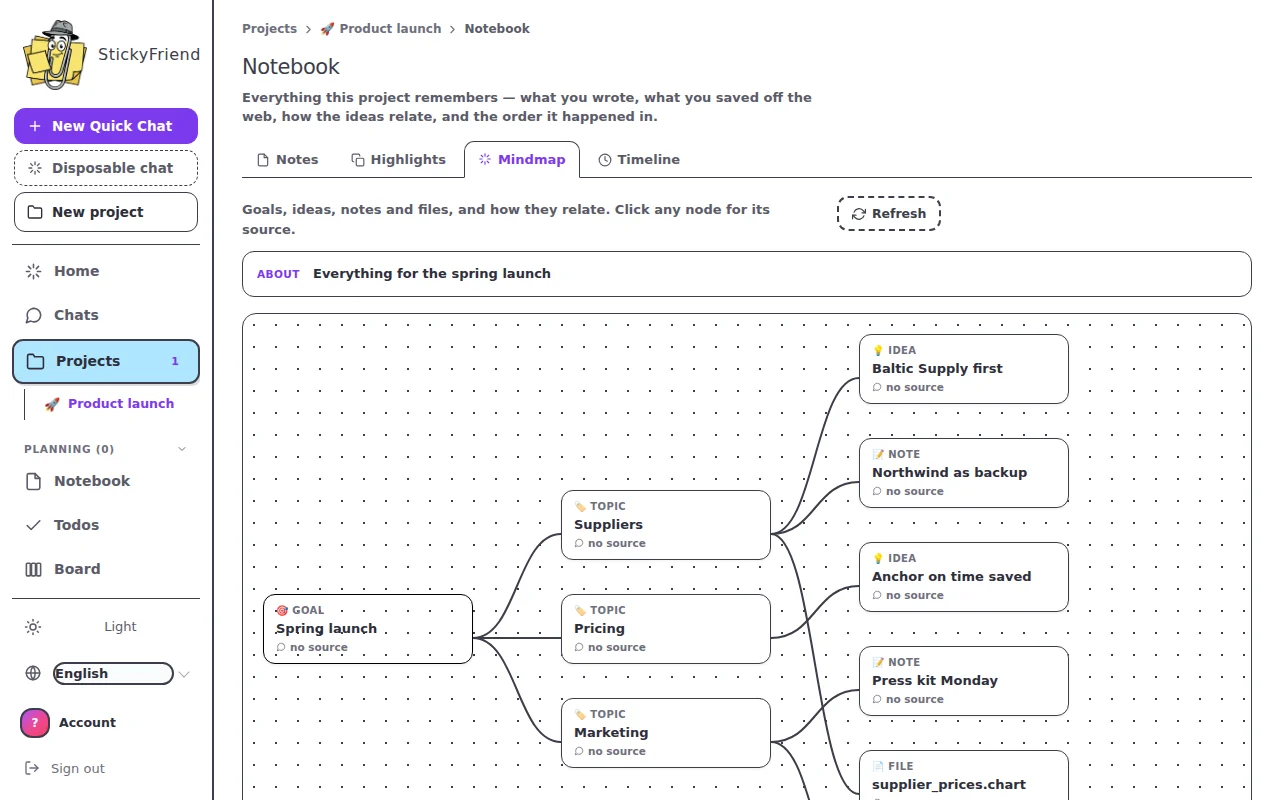
A mind map of a subject in StickyFriend
The mindmap — how the subject's ideas connect
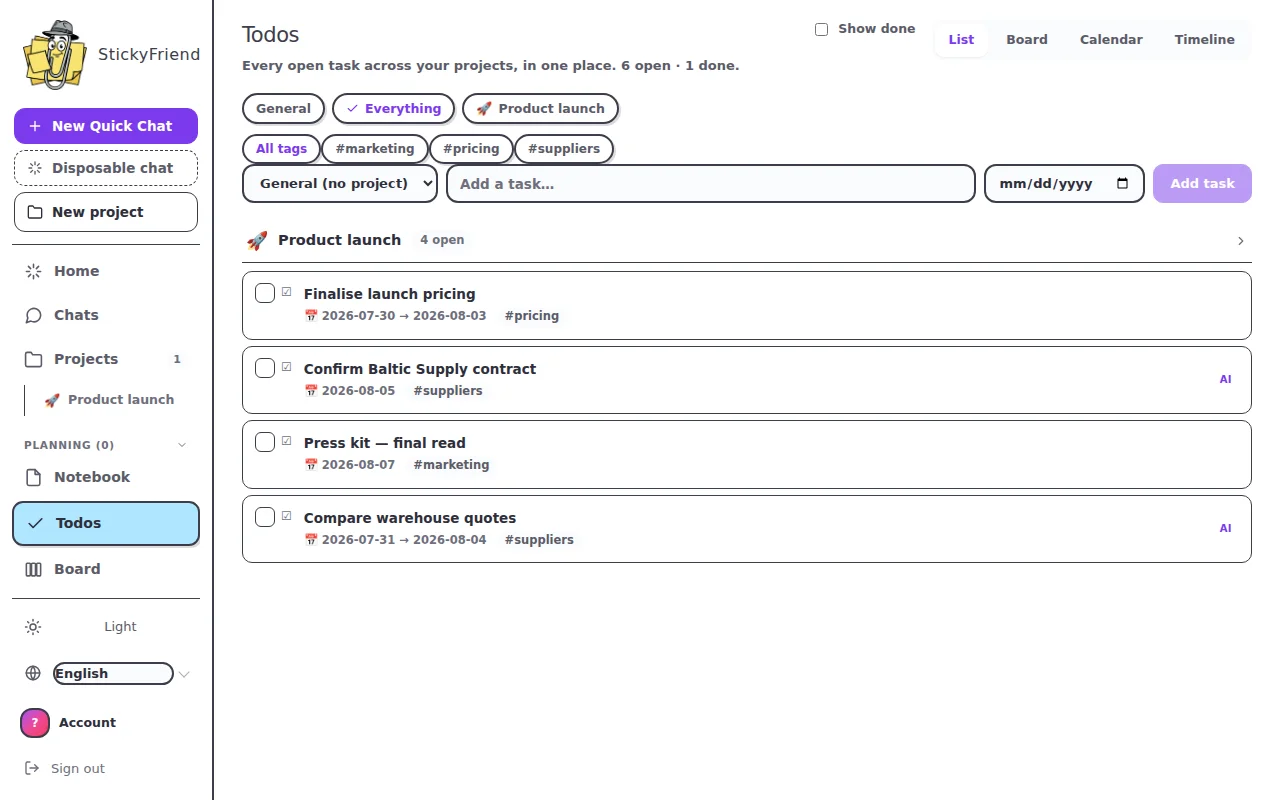
StickyFriend to-do list with due dates, grouped by subject
Todos with dates, tags and AI-added tasks
Asking questions across uploaded PDFs, with each answer citing its source file
Build your library — drop in the PDFs, sheets and decks, then chat with them
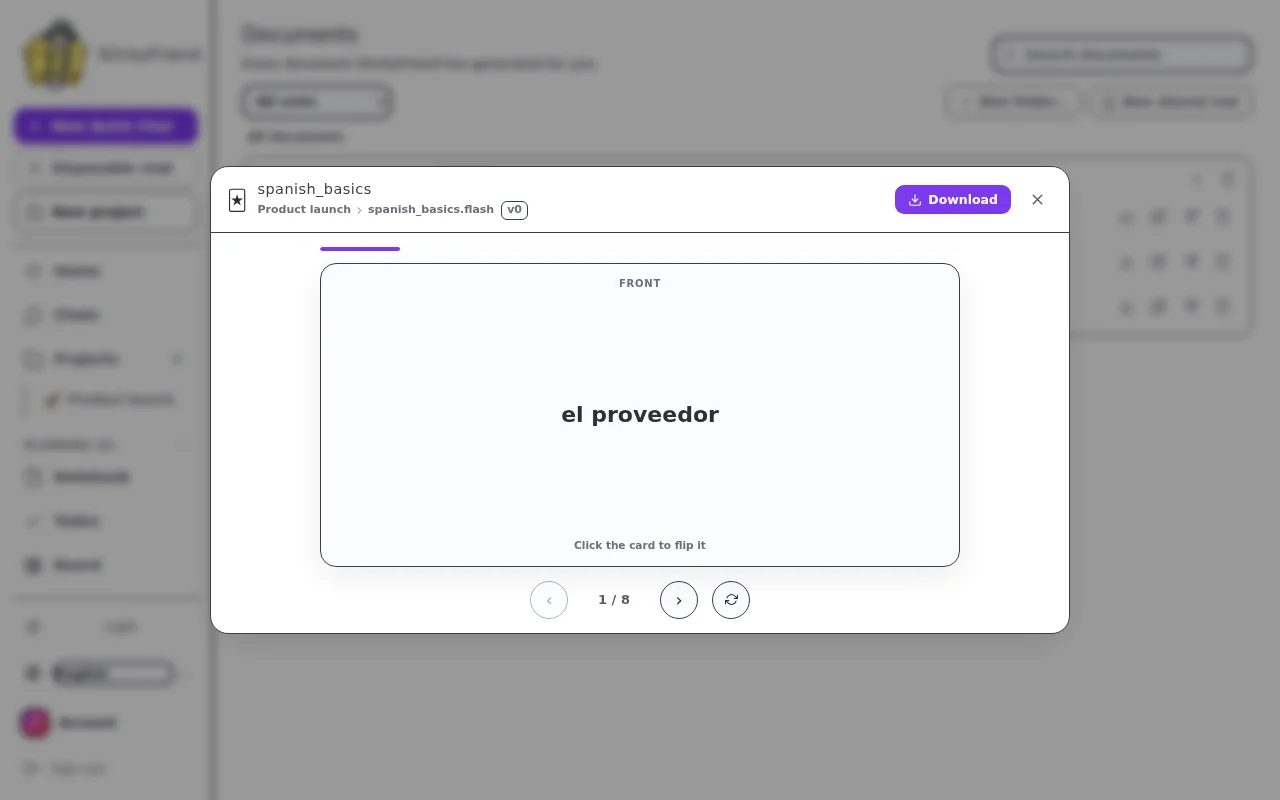
A flashcard deck StickyFriend generated from uploaded study material
Flashcards it makes from your material — flip, shuffle, learn
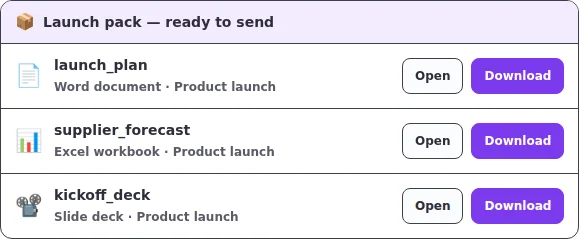
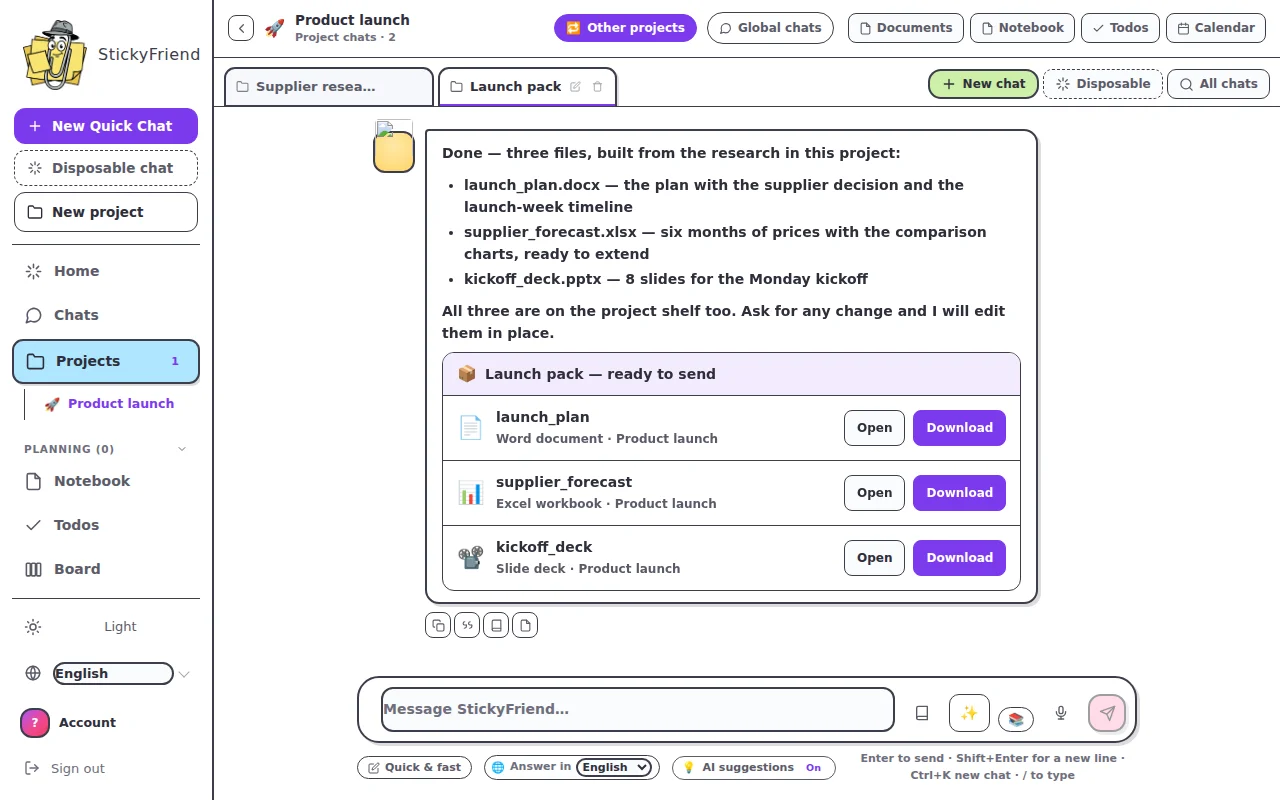
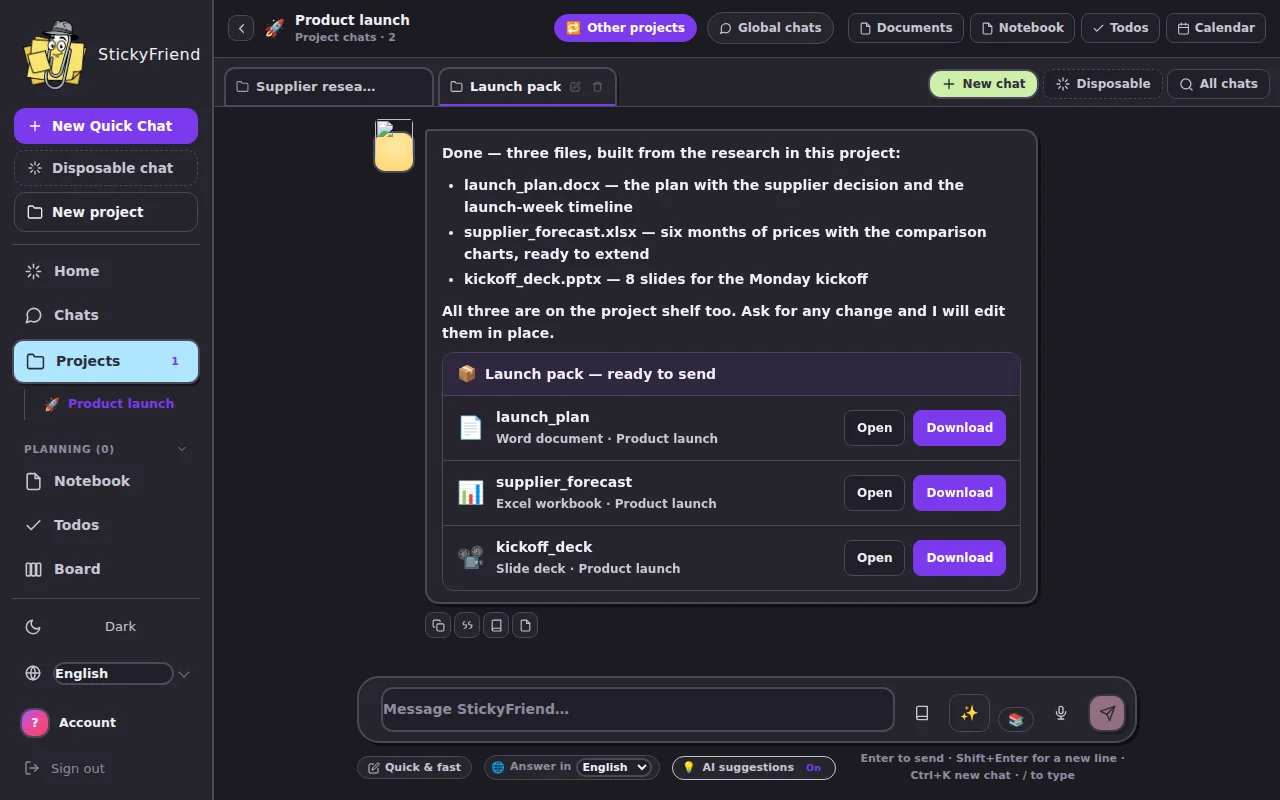
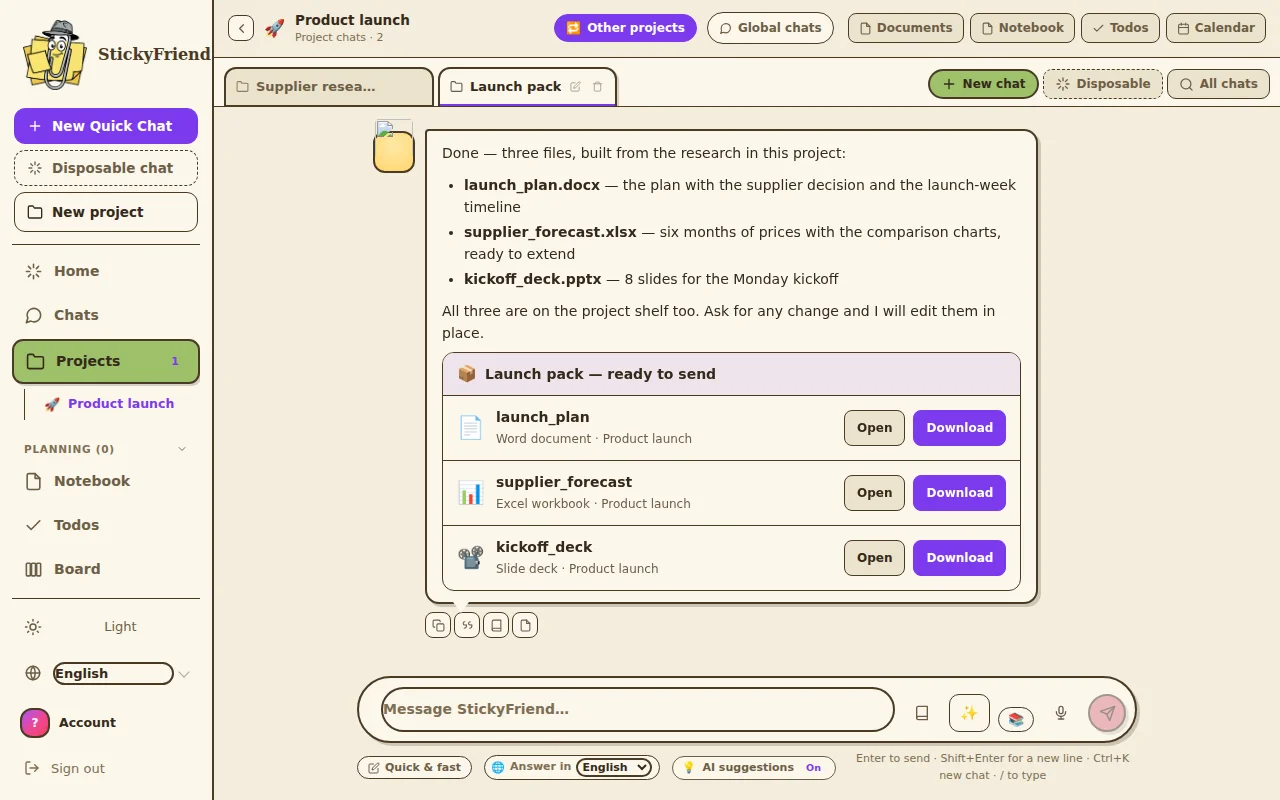
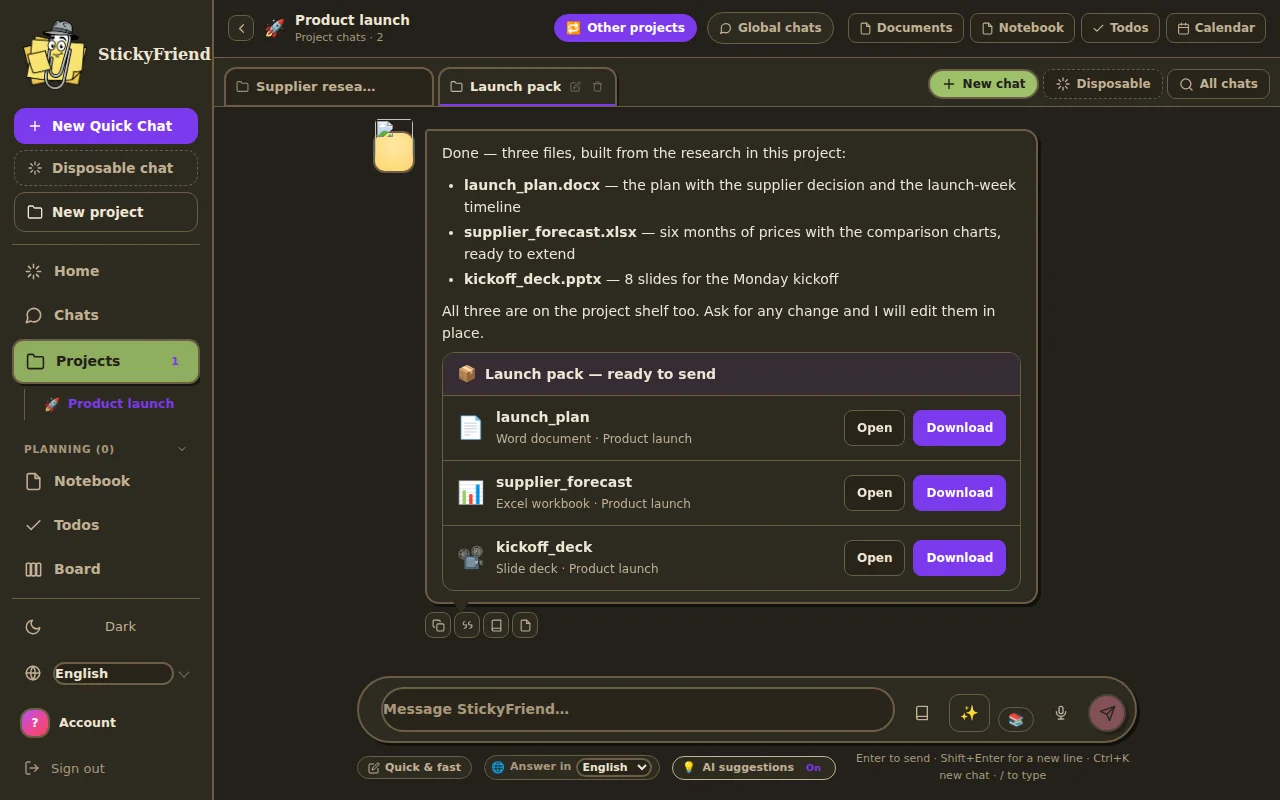
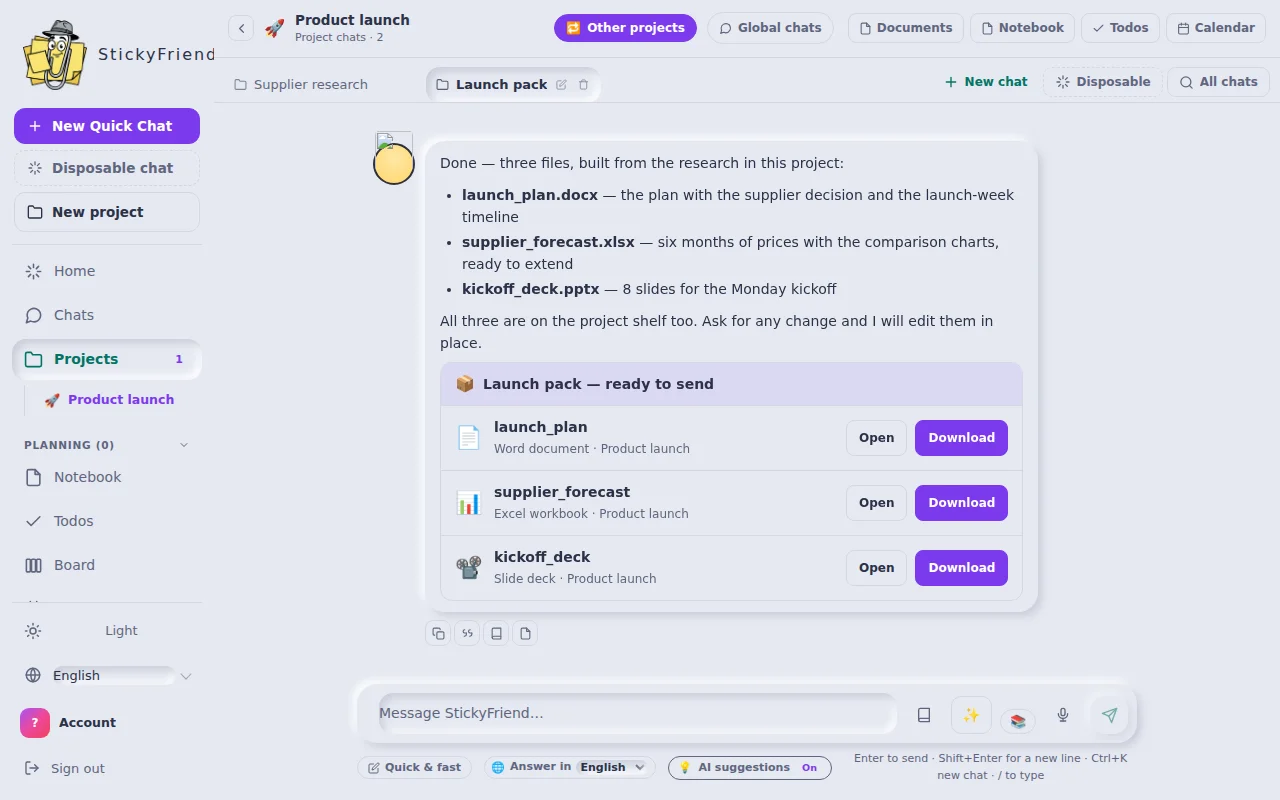
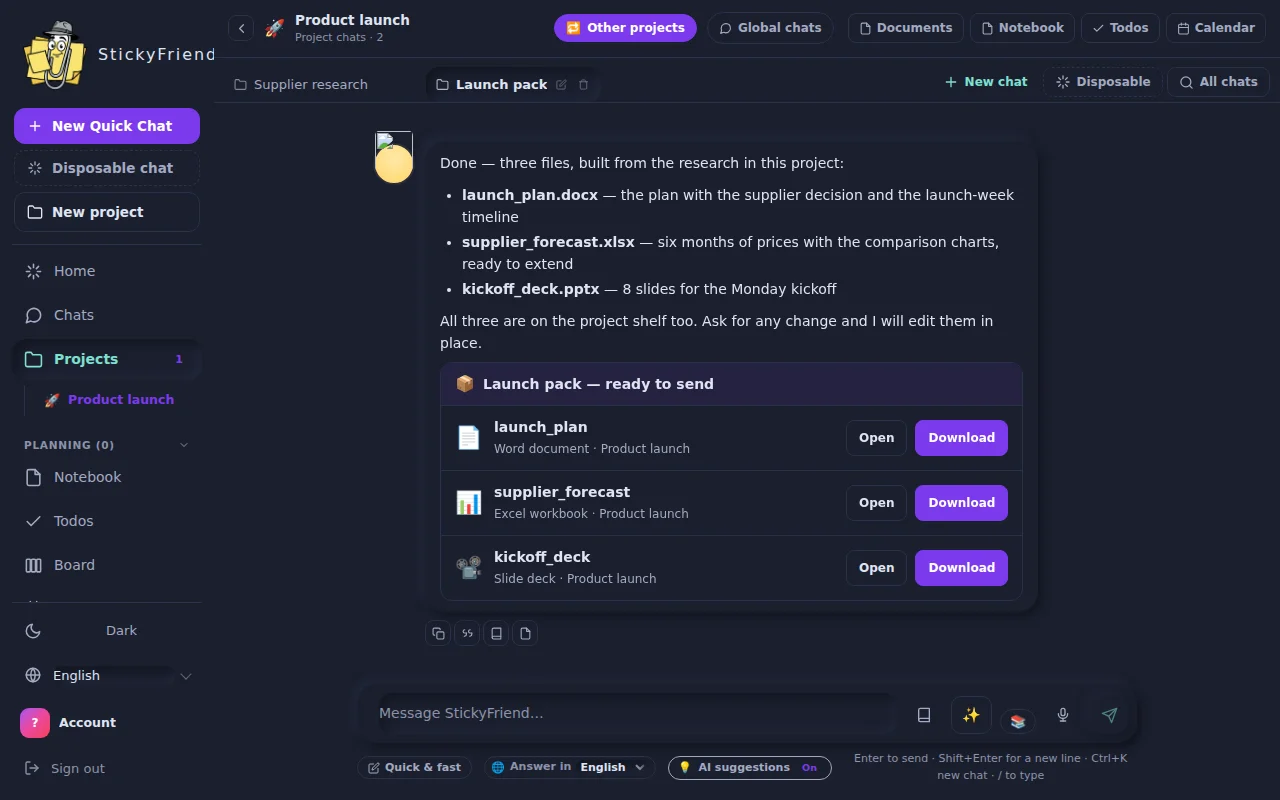
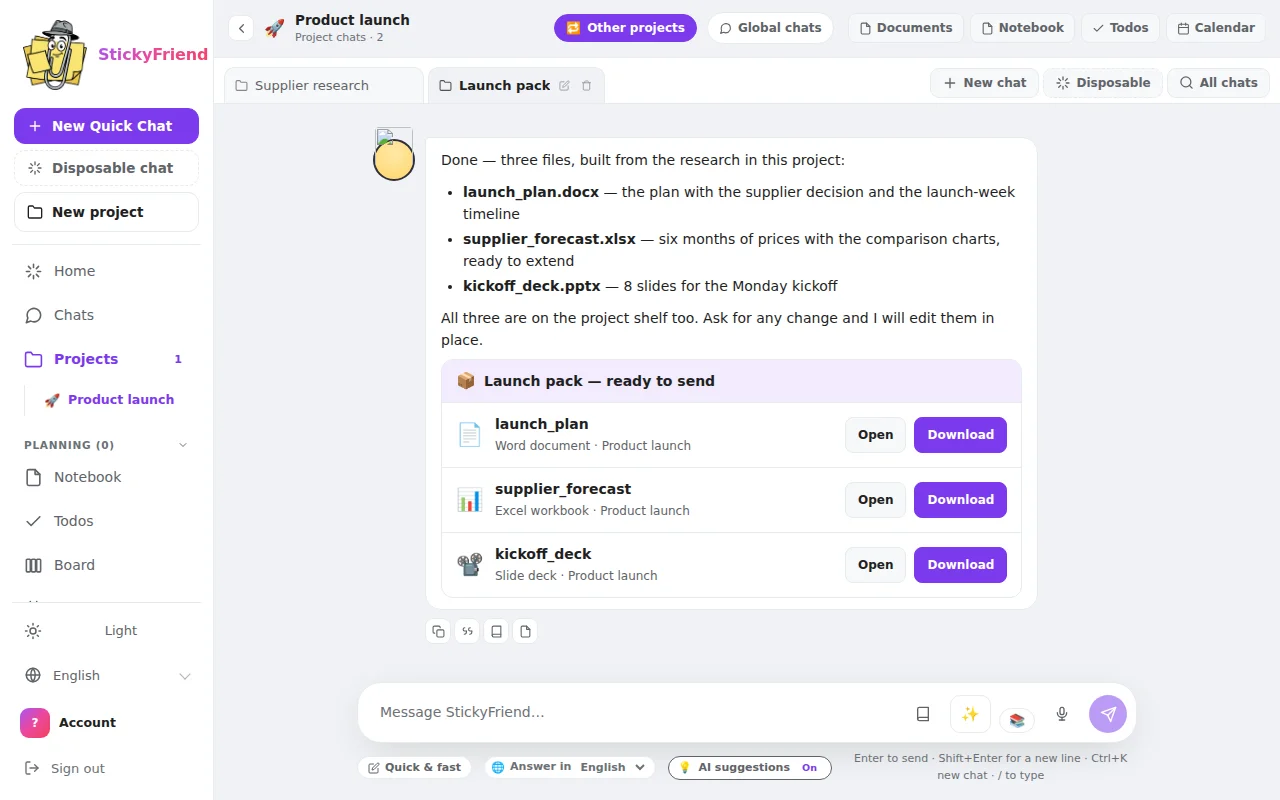
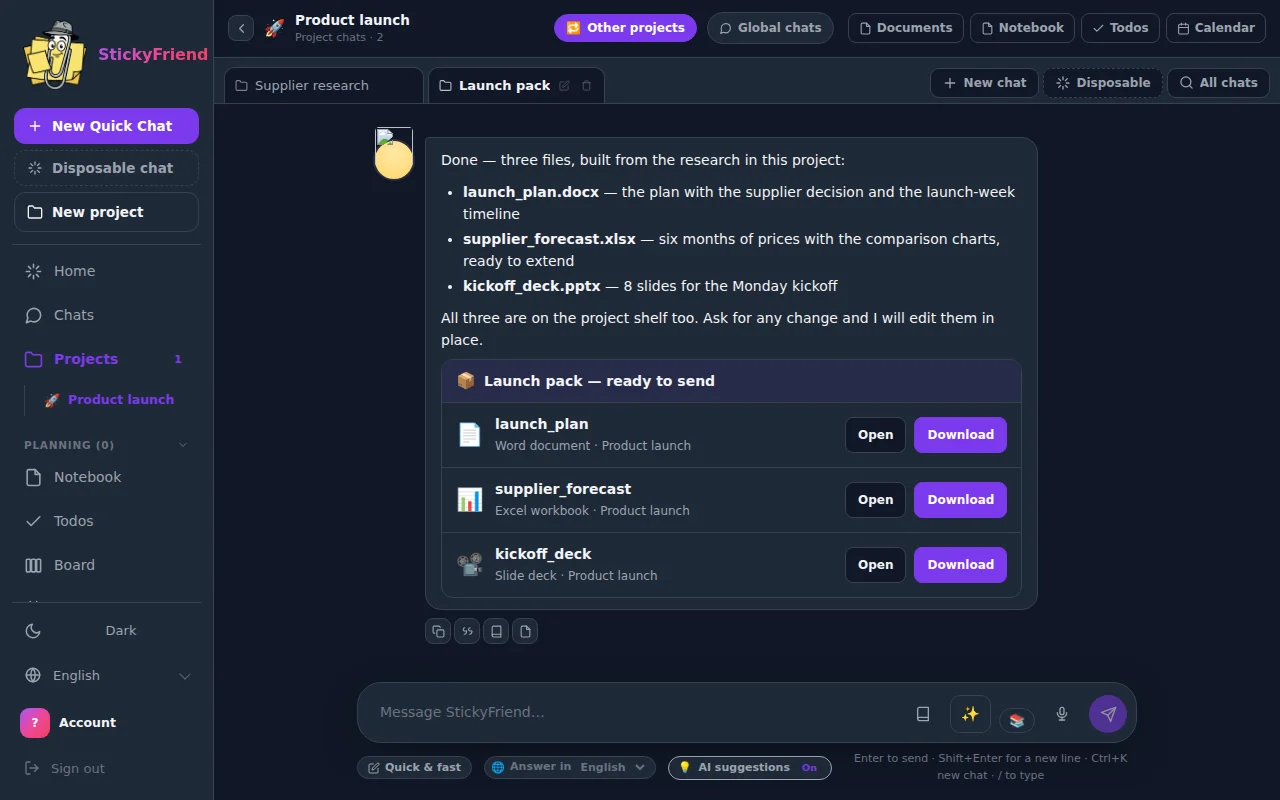
A generated file handed over as a card with open and download buttons
Word, Excel and PowerPoint — made, presented, downloadable
Real days, real work

What people actually ask it for

Twelve things you could ask for today. None of them need setting up first.

🗓️ "Get my week under control"

Empty your head into the panel. It turns the pile into todos with dates and deadlines, puts them on the calendar, sets the reminders, and keeps your notes next to them — so tomorrow starts already sorted.

🔎 "Research this properly"

Name a subject and it searches, opens what looks promising, works the site's own filters to skip the noise, reads what it finds, and comes back with an answer — every claim still carrying the link it came from.

📊 "Get the data out and make sense of it"

Lift tables straight off a page, clean them up, reshape and join them, then get charts you can actually read. The numbers stay yours — nothing is invented to fill a gap.

📑 "Turn it into something I can send"

Full reports, styled PowerPoint decks, styled Excel workbooks — built from the material you actually gathered, not poured into a blank template. Ask for changes afterwards and it edits them.

⚡ "Just answer me, quickly"

Open a quick chat for a one-off question or a fast look around the web, without disturbing any of your subjects. Ask, get the answer, carry on with your day.

🌬️ "…and forget I asked"

Disposable chats disappear the moment you leave them. Nothing kept, nothing indexed, nothing added to what it remembers about you — for the questions you would rather not keep.

🗂️ "Keep this subject together"

Each subject holds its own chats, notes, todos and saved links. Reopen it and every tab comes back in a fresh window, exactly where you stopped.

🔖 "Do something about my bookmarks"

Import them and watch it group them by topic, point out the dead ones, and fold the good ones into the subject they belong to — so a decade of saved links finally becomes source material.

📓 "Remind me what we decided"

While you work it writes the ideas coming out of the subject into that subject's notebook — grouped by topic, dated, searchable — so the thinking outlives the conversation it happened in.

🧠 "Learn how I work"

It keeps your preferences, your goals and the decisions you have already made, so you stop re-explaining yourself every session. Switch that memory off, or delete any single item, whenever you want.

📚 "Answer from my own documents"

Put your contracts, papers, spreadsheets and decks into a library, then ask in plain words and get answers that quote the exact file and passage — so you can check it rather than trust it.

🐍 "Actually run the numbers"

A sandboxed Python environment does the jobs code does better than prose: heavy transformations, generated files, and calculations you want computed properly instead of guessed at.

Make it yours

Themes that match your mood.

Every screen ships in light and dark — flip once, everything follows.

How it helps

Like a friend looking over your shoulder

No setup, no learning curve. You talk, it works, you watch.

👀

It sees what you see

StickyFriend looks at the actual page — buttons, forms, menus — the same way you do. If you can see it, it can use it.

🤝

You're always the boss

The moment you touch the page, it politely pauses and asks: should I wait, or move my work somewhere else? No fighting over the mouse.

💬

It shows its work

Every step appears in the chat as it happens — "Looking at the page… clicking… done!" — so there's never any mystery about what it's doing.

The good stuff

What's on the wall

Everyday superpowers, no manual required.

🔄 Pick up anywhere

Start a chat in your browser, continue it on the web — same conversations, same screenshots, everywhere.

📄 Real files, ready to send

Ask for a report, a spreadsheet, or a slide deck — and download the actual file, ready to share. Silver and up.

📚 Your documents, on tap

Upload contracts, specs, research or spreadsheets into a library, and any chat you point at it can search them and quote the real file — naming which one. Silver and up. Slide decks, Word, Excel, CSV, text and HTML read as text on every library plan; OCR — for scans and photographs — is on Gold and Diamond.

🖱️ Right-click magic

Explain this, summarize that, save this image, capture a note — all one right-click away on any page.

🗂️ Subjects for everything

Trip planning, job hunting, research — each gets its own space with chats, todos, notes, and saved tabs.

↻ Reopen your world

One click brings back all the tabs from a subject in a fresh window. Right where you left off.

🖼️ Beautiful answers

Answers stream in live, nicely formatted — with diagrams and easy copy buttons when you need them.

🧠 A companion that remembers

It writes down what it learns as you work, and every item cites the exact turn it came from — so you can check it, not just trust it. Switch it off or delete any item.

📓 A shared notebook

You and your AI write into the same pages. Group entries by topic, pin what matters, archive the rest — and give an entry a date to put it on the calendar.

🗓️ Plans and a calendar

Plan bars with dates and progress, laid out as a gantt, plus one calendar that unions every dated thing in a subject.

🕸️ Subject mindmap

Each subject maps its own ideas and the links between them, so you can see its shape instead of scrolling chat history.

⚡ Quick & disposable chats

A quick chat for one-off questions and fast web searches, outside your subjects. Make it disposable and it is gone the moment you leave — nothing stored, nothing remembered.

📊 Data, charted

Extract tables from pages and files, transform and combine them, and get charts back. Your figures, reshaped — never filled in with guesses.

🐍 A real sandbox

A sandboxed Python environment for the work that needs computing rather than describing — analysis, conversions and generated files.

🔖 Bookmarks, sorted

Bring your bookmarks in and have them grouped by topic, checked for dead links, and attached to the subject that needs them.

Stay organized without trying

One cozy home per topic

Every subject keeps its own chats, to-dos, notes, notebook, plan, calendar, mindmap and tabs together — so nothing gets lost between browser sessions.

🏝️ Bali trip planning · 7 tabs
💬 Flights ×
💬 Hotels ×
💬 Visa stuff ×
💬 Chat
✅ Todos
📝 Notes
📊 Timeline
🖼️ Gallery
🗂️ Tabs
🕘 History
Compare flight prices
Save the visa requirements page
Fill the booking form (StickyFriend's on it 👀)
Make a shareable itinerary
Two places, one friend

In your browser & on the web

The extension is where the action happens. The web app is the comfy reading room — same chats, bigger screen.

🧩

In your browser

The side panel rides along as you browse — chatting, clicking, and organizing your subjects while you work.

🖥️

On the web

Review conversations, browse screenshots in full size, and check your usage — from any device, any time.

Pick your medal

Bronze to Diamond 🏅

Bronze is free forever. Paid plans multiply your Standard AI usage and unlock the ✨ Smarter AI — and save 2 months when you pay yearly. The buttons below open the Plans screen inside the app, where checkout is handled by Stripe; you'll sign in first, so the payment lands on your account.

At a glanceBronzeSilverGoldDiamond
Standard AI fuel20×40×
✨ Smarter credits/mo3001,5003,000
Libraries31550
OCR for scans
Price$0$10/mo$50/mo$100/mo
🥉

Bronze

$0
free · forever
  • The browser sidekick, web search, subjects, chats & notes
  • Standard AI only — one usage allowance per 5-hour window
  • No ✨ Smarter AI, no golden credits
  • No file downloads, no Guidelines and no 📚 Libraries — those start at Silver
Start free
🥈

Silver

$10/mo
or $100/yr — 2 months free
  • Everything in Bronze, plus the four things it leaves out
  • 5× the Standard AI usage — one fixed 5-hour window, 5× the fuel in it
  • ✨ Smarter AI — 300 golden credits/mo (+5 daily); unused plan credits roll over, up to 600
  • ✨ Smarter runs on the standard queue at our Smarter provider — the priority queue starts at Gold
  • File downloads (docs, sheets, slides)
  • Guidelines — teach it your rules
  • 📚 Libraries — your own documents, read by your AI: 3 libraries, 200 files, 2 GB
  • Libraries on Silver are text extraction only — and that already covers PDFs, Word, Excel, CSV, HTML and slide decks, whose slide text, tables and speaker notes are read. Only scans and photographs need OCR, which starts at Gold
Go Silver
MOST POPULAR 🥇

Gold

$50/mo
or $500/yr — 2 months free
  • Everything in Silver
  • 20× the Standard AI usage — one fixed 5-hour window, 20× the fuel in it
  • ✨ Smarter AI — 1,500 golden credits/mo (+10 daily); unused plan credits roll over, up to 3,000
  • ✨ Smarter priority queue — Gold is where it starts. Your Smarter replies are sent to the provider marked priority instead of standard; Silver and Bronze aren't.
  • 5× Silver's ✨ Smarter budget, for 5× the price — the jump is volume, plus the priority queue
  • 📚 Libraries15 libraries, 2,000 files, 20 GB
  • 📚 OCR starts here — scanned PDFs, photographs of pages and plain images are read too, not just files with a text layer. (Slide decks never needed it: Silver reads those already.)
Go Gold
MAX POWER 💎

Diamond

$100/mo
or $1,000/yr — 2 months free
  • Everything in Gold
  • 40× the Standard AI usage — one fixed 5-hour window, 40× the fuel in it
  • ✨ Smarter AI — 3,000 golden credits/mo (+20 daily); unused plan credits roll over, up to 6,000
  • ✨ Smarter priority queue — the same one Gold gets. Diamond does not buy a faster lane than Gold; the two share it.
  • 📚 Libraries50 libraries, 10,000 files, 50 GB, with OCR
  • Diamond's edge over Gold is volume, plainly: double the Standard usage, double the credits, and a much larger document allowance. Every plan runs the same two models, and the only queue we sell is the ✨ Smarter priority one — which Gold already has.
Go Diamond
Got questions?

FAQ

The short version of everything.

Is it safe to let it use my browser?

You watch every step as it happens, and you can stop it at any moment with one click. The instant you use the page yourself, it pauses and waits for you.

Do I need to know anything technical?

Nope. You describe what you want in plain words — "fill this form", "compare these three pages" — and it figures out the rest.

What does the free plan include?

Bronze gives you the browser sidekick itself — the agent on your current tab, web search, subjects, chats, notes and sync between the extension and the web app — running on the Standard AI, with one usage allowance per 5-hour window. No card required.

Four things are not in Bronze, and they're blocked on our server rather than just hidden: the ✨ Smarter AI (Bronze gets no golden credits and can't spend any), downloadable file deliverables (Word, Excel, PowerPoint), Guidelines, and 📚 Libraries. Those start at Silver.

What is a 📚 Library?

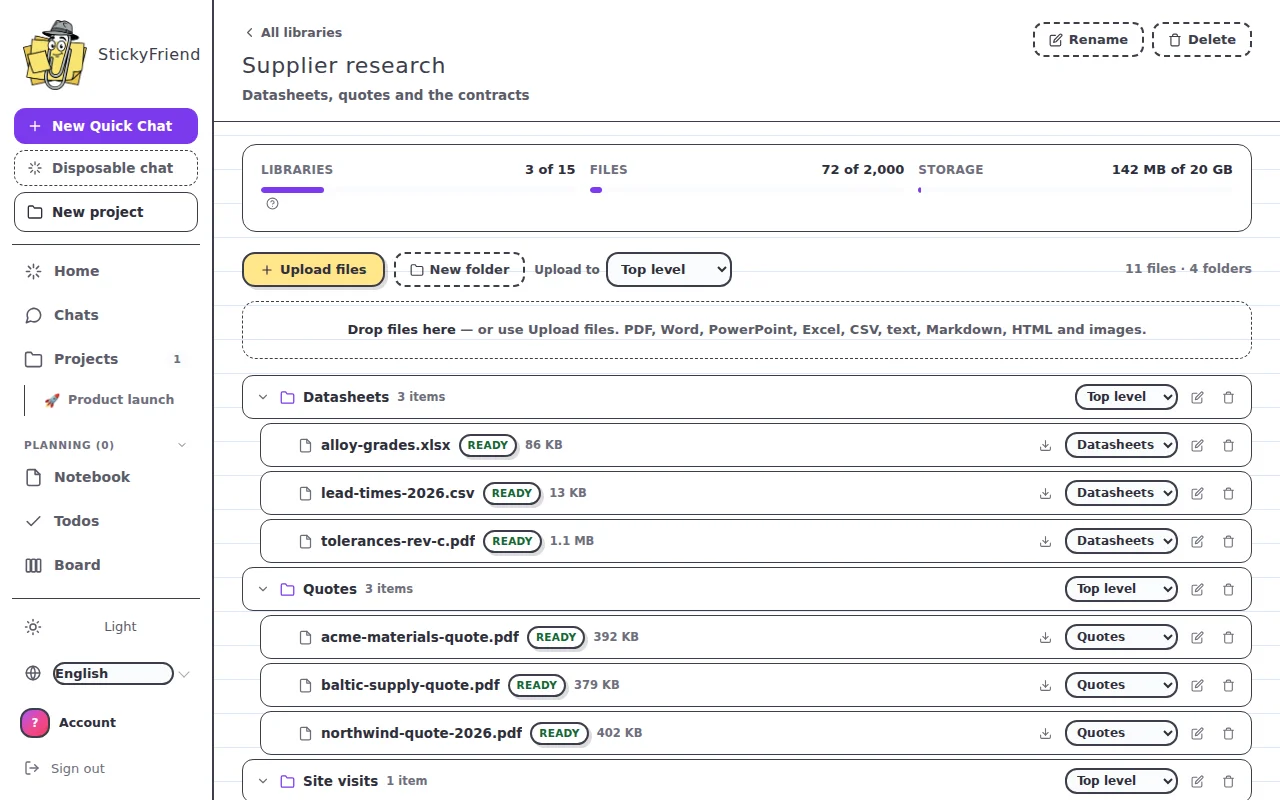
It's your own documents, kept where your AI can read them. Upload contracts, specs, research, spreadsheets or notes; StickyFriend reads each file, indexes it, and from then on any chat you point at that library can search it and quote from it — telling you which file the answer came from, so you can check it.

You organise files into folders, and each conversation picks which libraries it may read. A chat with none selected reads nothing of yours and costs nothing extra; that's the default.

Libraries are a paid feature. Silver gets 3 libraries, 200 files and 2 GB. Gold gets 15 libraries, 2,000 files and 20 GB. Diamond gets 50 libraries, 10,000 files and 50 GB. Bronze has no access at all.

Can it read scanned documents and images? (OCR)

On Gold and Diamond, yes. Those plans run OCR, so scanned PDFs, photographs of pages and plain images are read as well as ordinary files.

Slide decks do not need OCR and never did. A .pptx or .ppt is read as text on every library plan — slide text, table cells and speaker notes, one slide at a time — and OCR is only called for an individual slide that turns out to be a picture with no text on it. If you have presentations to put in a library, Silver reads them.

Silver is text extraction only. If a file has no readable text layer — a scan, a photo, an image-only PDF — Silver will not quietly add it as an empty document: the upload is refused, or the file is marked Failed with the reason on screen and the upgrade named. We would rather tell you than leave you asking a library about a document it never actually read.

OCR is the most expensive step in the pipeline (a model call per page or image), which is why it's a capability of the bigger plans rather than something metered in small amounts.

What if I hit the usage limit?

Then you wait for the reset — and it's worth knowing exactly how that works, because the window is fixed, not rolling. It starts the moment you first use the Standard AI and runs for five hours; everything you spend in that time comes out of one allowance. When the five hours are up, the whole allowance comes back at once. Nothing trickles back in between, so if you burn it all in the first ten minutes you're waiting out the rest of the window.

The meter under your chat shows exactly where you stand and counts down to the moment it reopens. Paid plans multiply the size of that allowance — they don't shorten the window — and their ✨ Smarter AI (golden credits) keeps working the whole time, including while the Standard window is closed.

How do golden credits actually work?

Golden credits are the currency for the ✨ Smarter AI, and they're not one-per-reply. A short answer costs about one credit; a bigger one costs several, because a credit tracks the work in the reply — what the model writes counts about five times as much as what it reads.

Your plan's credits arrive monthly, plus a small daily top-up, and unused ones do roll over. There is a ceiling, though: plan credits stop topping up once you're holding two months' worth — 600 on Silver, 3,000 on Gold, 6,000 on Diamond — and the daily top-up stops there too. Nothing is confiscated when you reach it; the top-ups just pause until you've spent back below.

Credits you buy in a one-off pack (Mini $5 / 100, Mid $20 / 500, Maxi $60 / 2,000) are separate: they sit on top, don't expire, aren't capped, and are only spent once your plan credits have run out — so a pack raises the total you can hold instead of switching your monthly grant off. Packs are for subscribers only, since ✨ Smarter is a paid-plan feature and there'd be nothing on Bronze to spend them on.

Do the pricier plans answer faster?

On the Standard AI, no — every plan, Bronze included, is answered by the same self-hosted model, and there is no fast lane. Paid plans buy a bigger allowance, not a shorter wait.

On the ✨ Smarter AI, yes, and only in one place: Gold and Diamond send their Smarter requests to our Smarter provider flagged as priority, while Silver sends them as standard. That's the one queue we sell, and it's the only difference in how a reply is produced anywhere in the product. Gold and Diamond share the exact same priority queue — Diamond does not get a faster one than Gold — and the model itself is identical on all three.

Can I use it away from my browser?

Yes — the web app has all your same conversations and screenshots, readable from anywhere. Actions on live pages happen in the browser, and it'll gently point you there when needed.

What is a disposable chat?

A chat that is destroyed the moment you leave it. It is never filed into a subject, never indexed, and nothing from it is added to what StickyFriend remembers about you. Use it for the quick question you do not want kept — and use a normal chat when you want the thread back tomorrow.

Can it really analyse data, or just talk about it?

It computes. Tables are extracted from the page or file, then transformed, combined and charted in a sandboxed Python environment — so a total is a total, not a guess that reads like one. You can ask for the result as a chart, a table, or a styled Excel workbook you can open and keep working in.

What is the Python sandbox for?

The jobs that need computing rather than describing: reshaping a messy spreadsheet, converting between formats, running a calculation across thousands of rows, and building the files you download. It runs isolated, on your material only, for that one request.

Does it remember me? Can I switch that off?

It keeps what helps it work with you — your preferences, your goals, decisions you have already made — so you are not re-explaining yourself every session. Every item shows where it came from, you can delete any one of them, and you can turn the whole thing off. Off means nothing new is written down.

Can it sort out my bookmarks?

Yes. Import them and it groups them by topic, flags the ones that no longer resolve, and files the useful ones into the subject they belong to — where they become sources it can read and cite, instead of a folder you never open.

Ready to stop doing the boring clicks?

Bronze is free every single month. Your new sidekick is waiting. 😊

Start free in the web app